We have been using the phone system for a while, and I received the following feedback:
“One issue, which is quite important, is that when dialing, during the waiting time before the other side answers, there is no sound at all. The sound only starts when the other side answers. Because of the Internet delay, the first 2–3 seconds of audio are lost when the customer answers.”
This causes problems because:
We cannot hear what the other party says at the beginning. For example, if they say: “ABC Company, Linda speaking…” the first part is silent, so we only hear “…speaking.” This means we miss the company name and the person’s name, which puts the caller in an awkward position.
When calling a mobile number and it goes to voicemail, the beginning of the voicemail greeting is also cut off. As a result, when the voice starts playing, it’s not immediately clear that it’s voicemail.
Normally, there should be a ringback tone immediately after dialing, so the caller knows the line is active.
Sorry to hear about this and appreciate the feedback. Could you let us know what device/setup you’re using to answer the call? Is it a SIP application? Phone System app? Or perhaps some other method?
Just to clarify, this would be the mobile phone’s voicemail, correct? Not the voicemail setup (if applicable) in the phone system panel itself?
Absolutely, and this could be more about the phone number/ where it’s set to ring instead of the actual phone system logic - please clarify what device/software you’re using and we will look into this.
Yes, that’s the mobile phone’s voicemail. I think this issue is related to the first one. After dialing, the line stays silent until the call is either answered or redirected to voicemail. Only then do we start hearing sound. With the added internet delay (I assume), the first 2–3 seconds of audio are lost.
I use Phone System app on both Windows PC, and mobile phone.
By the way, my phone number is from another provider, but all incoming and outgoing calls are handled through your phone system. We sometimes also experience sound issues, such as unclear audio that makes us ask the other party to repeat themselves.
Can you try forwarding that number from the other provider directly to a VOIP to see if it’s clear, perhaps to this “music” to see if you hear the music clearly?
Set “host” to iptel.org and “user/extension” to music to quickly test your FlyNumber. You’ll hear music when you call the number.
If this still fails, please try a call and PM the call history entry from the phone system logs so we can investigate.
Could you advise which VoIP I should use for testing? I’m not technical, so I’m not sure how to run the test. By the way, have you had a chance to check the issue with the silent ringback tone after dialing outbound calls?
What company do you have these phone numbers with? We can then see what to suggest as far as testing.
This was with the phone system app, correct?
Could you make one outgoing test call, please, and let us know the info you see in the call logs entry? In the phone system panel, give us the call info from Call Logs or from Call Analytics.
Yes, the issue still persists with all outbound calls. After dialing, there is complete silence on our end until the receiver answers and starts speaking. Even then, there is a 2–3 second delay before we can hear them. Additionally, we do not hear the ringtone — the sound that indicates the receiver’s phone is ringing and waiting to be answered.
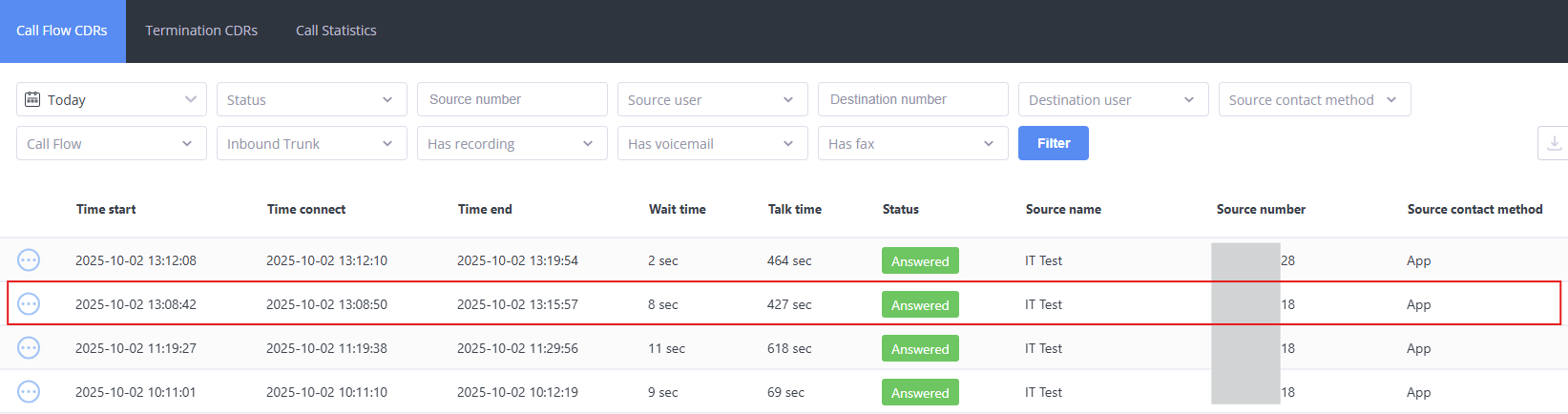
Attached is a screenshot of the recent outbound calls. The phone highlighted in the red box belongs to the user who reported the issue.
We just enabled internal monitoring tools specific to your account. Could you try the call just one more time, please, so we can trace this and see exactly what’s going on?