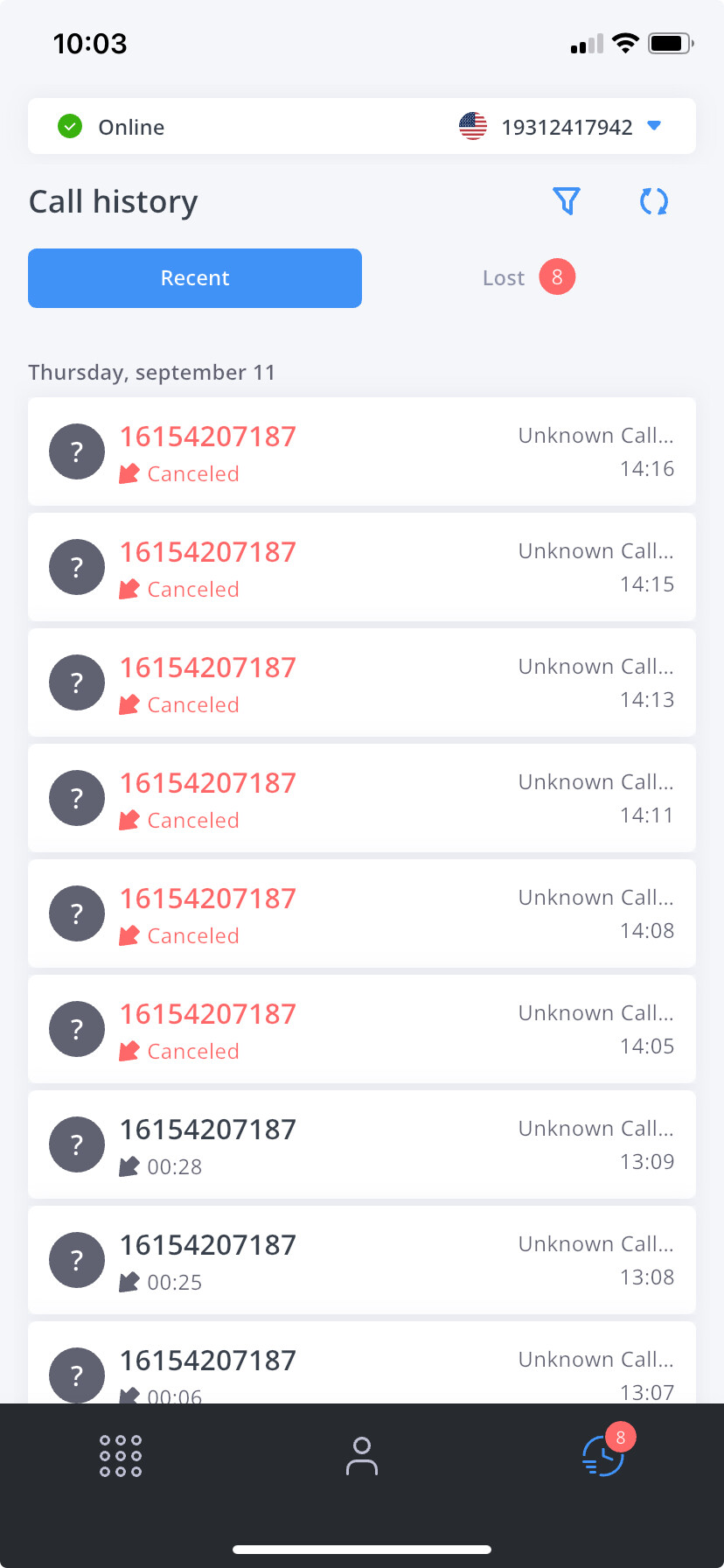
Not sure if I am posting in the right category but I’ve been testing the cloud phone system purchased from Flynumber - I have managed to customize the caller ID as desired when the call is coming in but when I look at the call history it just has the raw caller ID information and none of the customization I created. Purpose being that we have various sales lines and it would be helpful to my team to know what the call or missed call was in reference to. Is there something I can do on my end to keep customized caller ID when it hits call history? Thanks.
I was talking about in the mobile app - the caller id when the call comes in shows the customization I created but when you look at call history on the mobile app - it just shows the raw caller ID as pictured. The team I work with wouldn’t be accessing FlyNumber outside of the mobile phone app, so it would be helpful for the customized caller ID to show in the mobile app call history.
I did however go an look at call analytics on desktop and although I had done multiple test calls over the past couple days, the call analytics are completely blank. I went to call log section and the calls placed did populate there but customized caller ID didn’t show - just raw caller ID.
I see, and that makes sense. I’ll get the team responsible for app development to look into this. They’ve been pretty good with updates lately, so hopefully, this is one they can add.
[quote=“AmandaMullin, post:3, topic:3527”] I did, however, go and look at call analytics on desktop, and although I had done multiple test calls over the past couple of days, the call analytics are completely blank
[/quote]
I’m thinking it’s the filters towards the top—could you try adjusting those to see if you can get calls to show up, especially the ones referring to date/time.
Thanks, and standing by if you have any other questions or concerns.