FlyNumber on Android with a *FREE* app to make/receive calls - RABBIT HOLE

,

For anyone facing the ever shifting sands of the UBER complex feild of VOIP, SIP, TRUNK, and about a dozen other unintelligable terms for this technology, be aware that this is a very detailed and technical field that requires a LOT of reading and learning and frustrations!

My task: make a call to a UK 800 number from my android phone.

1 week of solid effort. No luck

First lets talk about android apps of which there are many. The reccomended app is not called FlyNumber, no, It is cleverly disguised with the name “phone.systems” for reasons which are opaque. Having wasted at least a dozen hours trying to get this installed, let alone configured, ove a period f many months, I can attest that it is either a bad beta version or just outright frustrating crapware. Whats more concerning is that this is not being acknowledged.

Next is the FREE Voiper. This has worked for a few months with nag screens about upgrading but you can make/receive calls from it. When calls to the UK did not work from a US number I opted for a second number in the UK. Free Voiper ONLY WORKS WITH ONE NUMBER. If you are going to pay for an app, then Voiper is probably not a first choice.

If you are like me and have a phone from one country, a cc in another and are currently in a third, GooglePlayStore will not permit the purchase of apps. The other problem is that when you change phones as I do every other month, the process to of installing the app you already bought becomes a hour or two of support calls and hassle.

It has been suggested that: Groundwire or Acrobits work with FlyNumber. There are others do a google search. Sip2Sip is inbound calls only.

Then there are other supposedly free versions like 3CX. They have now removed Generic SIP option and only list “supported providers” which of course do not include Fly Number.

Thats another whole day wasted

Now I will move to the nex option and try to install and configure that ttunk, SIP, number, password, etc etc

I will add to this as I proceed through the remainder of the Android app options

Hi @Linguini,

Thanks for posting, and your feedback here is really appreciated.

While we agree that initially this could seem overwhelming, it’s really a simple premise once you understand it. The idea behind us offering a more “technical” strategy here is to allow utmost flexibility. With SIP (the standard for telephony/VoIP transport) end-users would be able to really customize the way calls are made and received.

It turns out our bet was on the mark, AI platforms are now offering SIP integrations with their platforms - this means setting up a FlyNumber with them is easy and to the point.

See: Vapi AI SIP intro and Using SIP with OpenAI as examples of this.

With AI, this is now much easier to understand, especially with our recently added feature where you can view our doc in markdown (a format that AI can easily understand). See this X post.

So, for example, you can punch this URL into ChatGPT https://www.flynumber.com/docs/phone-system-guide/main-menu/contact-methods.md and ask questions - “How would I get this working on my Android phone?” … “Check out their other docs to help me figure this out” - and so on and so forth.

Have you tried Linphone? I think this might be a viable option here.

https://www.linphone.org/en/download/#linphoneapp

Let us know if this works for you; we would love to hear your feedback.

No. Have you?

First time you mentioned this after how many support emails…

OK lets get started…

Go to email scan QR code
error message: INVALID QR CODE

Hmmm seem to remember the invote expires but cant remember after how long so

resend Invite

h t t ps://w w w .fly number .com / pbx - panel

right side Click on Phone System Panel in the side menu.
left side click on users
click three dots of the user
click Resend Invite App
(this sends a QR code to your email)
Go to email scan QR code
error message: INVALID QR CODE

skip QR code and enter details by hand
click “use third party SIP account”
Username
password
Domain: sip.phone.systems
display name: Phone Systems
UDP
TCP
TLS
Hmmm try all three
error message: Wrong password or username

Advnaced settings:
AuthenticaionID - leave blank
SIP Proxy server URL -***
error message: Wrong password or username

AI search: setup linphone for flynumber
watch a 10 min video with My handlebar moustache
USERNAME IS USUALLY YOUR EXTENSION NUMBER
Oooooooook lets try that, but what is that number ???
try a few like the one after the / in the Forwarding details VoIP : flypbx . com/
error message: Wrong password or username

and here we are again, totally lost in the land of SIP.

another hour down the rabbit hole with this app.

Lets post this…. ERROR Users can only post 2 links

sigh… rework post

Sorry to hear you’re having trouble with this @Linguini.

Yes, and you can add multiple SIP accounts.

Actually, I just tested this now to make sure.

The setup was pretty simple, use “third-party SIP account.”

The only setting you want to look out for (as far as I can tell) is the “transport” - by default, they have TLS selected. Instead, choose TCP or UDP.

This has nothing to do with the phone.systems app or any QR code logic (not with FlyNumber or with Linphone).

Make sure you’re using the SIP credentials from “SIP Accounts” in your phone system panel.

Let us know if you run into anything.

OK, here we go, week 2 trying to make a call to a UK 800 number

>Yes, and you can add multiple SIP accounts.

Well that was what I was asking for last week….

>The setup was pretty simple, use “third-party SIP account.”

As mentioned, I got that part )

Its the rest of the details that I explained I could not figure out

“PRETTY SIMPLE” is an app that installs, scans a QR code and ACTUALLY WORKS!

so far 2 weeks and NOTHING is pretty simple!

As mentioned, phone.systems app does not permit setup and gets stuck trying (android recent version). Its unusable.

>Make sure you’re using the SIP credentials from “SIP Accounts” in your phone system panel.

THIS is the problem I idenfied above - WHAT credentials exactly?

You explain in detail the steps I need no help with and then fail to provide the detials I do need help with. This is not Support!

I need a url. I need an example. I need details. This is week 2…

I am quite sure you have a good product, but setting up this stuff is NOT TRIVIAL for busy people that do not want to dea,l with learning low level phone system tech!

>phone system panel.

I presume that is here???v

https://www.flynumber.com/my-account

THEN CLICK “phone system panel” on the right ??

That takes me to a page with a bunch of instructions:

Configure Your Phone System

Build custom call flows using our intuitive drag-and-drop interface. Create professional phone systems with ring groups, voicemail, and advanced routing - all with real-time updates that take effect immediately.

Key Features

  • Visual Interface: Drag-and-drop builder with modules and virtual cable connections

  • Real-time Updates: Changes apply immediately - no saving required

  • Ring Groups: Distribute calls to multiple team members simultaneously

  • Call Queues: Ring All or Round Robin strategies for call distribution

  • Interactive Voice Response (IVR): Create menu systems for callers

  • Time Conditions: Route calls differently based on business hours

  • Professional Voicemail: Capture messages when calls aren’t answered

How It Works

  1. Add Modules: Place phone numbers, ring groups, and other building blocks on your workspace

  2. Connect Components: Use virtual cables to route calls between modules

  3. Organize Flows: Group related modules into call flows and workspaces

  4. Test Immediately: All changes take effect instantly for real-time testing

I SEE NO “SIP ACCOUNTS” on this page….

Do I no click the button “Launch Phone System”?

LOST AGAIN

So ignoring that rabbit hole that led nowhere, perhaps I should look at the details I do know:

username=ca*****

password=*******

But these are to login to my account. Do I use these in linphone? Seems unlikely, but you dont say

Perhaps it is

Username: f5*******s
Password: v#####o

next is domain

is that this:
Domain/server: sip.phone.systems

or just: phone.systems

you dont say

Next Display name, which presumably is unimportnt and I can choose anything?

Finally TLS UDP TCP which you did specify (one out of the five I need)

PLEASE PLEASE keep in mind that this stuff may be trivial to you, but NOT to customers :confused:

I tried the l/p for the UK account and sip.phone.systems for the domain

FAILED TO LOGIN - ERROR CODE: IOERROR

Hi @Linguini,

Apologies for all the back and forth on this.

Correct, you click “Launch Phone System” to get the panel open.

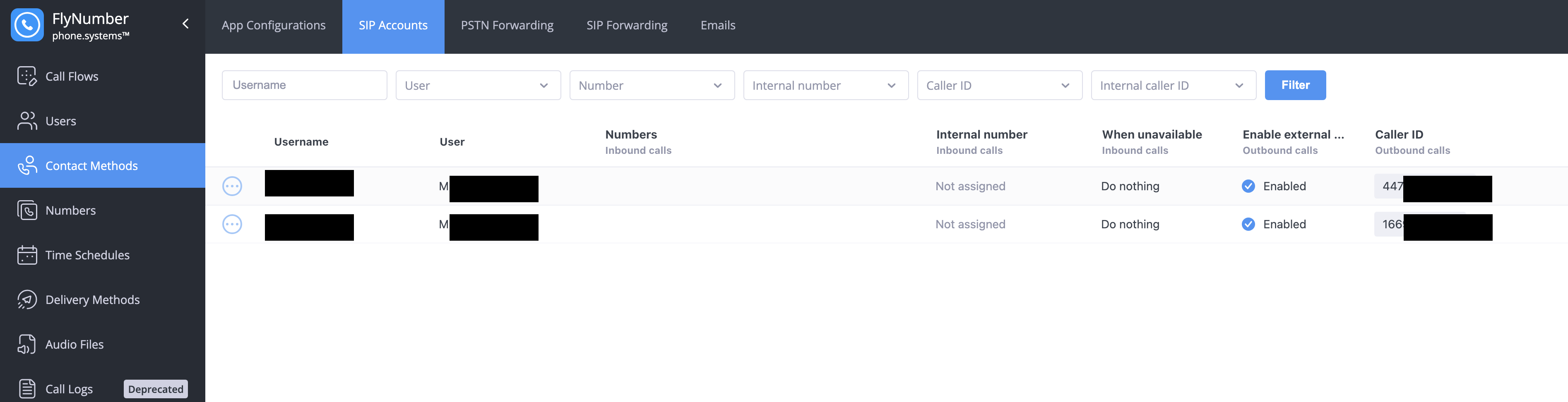
Go to “Contact Methods” and then “SIP Accounts.”

Here:

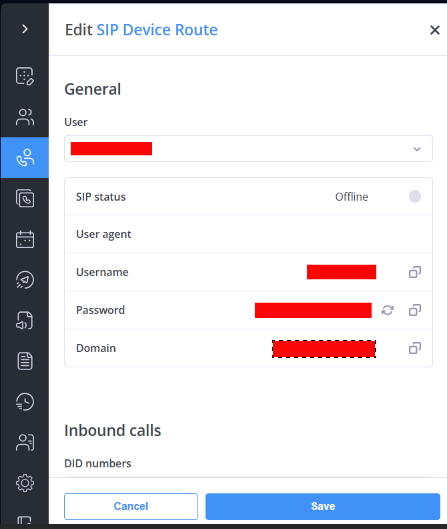
Click the 3 vertical dots to the left of the row/entry to see the SIP info for each one. Your US number looks active (it also shows you the status of the connect). The UK number does not show active.

You can use UDP or TCP - in that same settings screen (after you clicked the 3 vertical dots), you’ll notice both TCP and UDP are connected.

Please try adding the UK FlyNumber SIP accounts from there to your SIP client and let us know the results – if you could post screenshots of the Linphone/Zoiper, that can help.

P.S.

If it’s not too much trouble to send a screen recording of what’s happening, it can really help. There is an active development team, so changes would be pretty quick, and this might solve all issues (as the app makes calling out based on DID/FlyNumber much easier).

Last week I was too busy to work on this. So here we are, week 4 trying to configure ANY app to make a call to a UK 800 number.

In this case, Linphone…

click “Launch Phone System” to get the panel open.

Go to “Contact Methods” and then “SIP Accounts.”

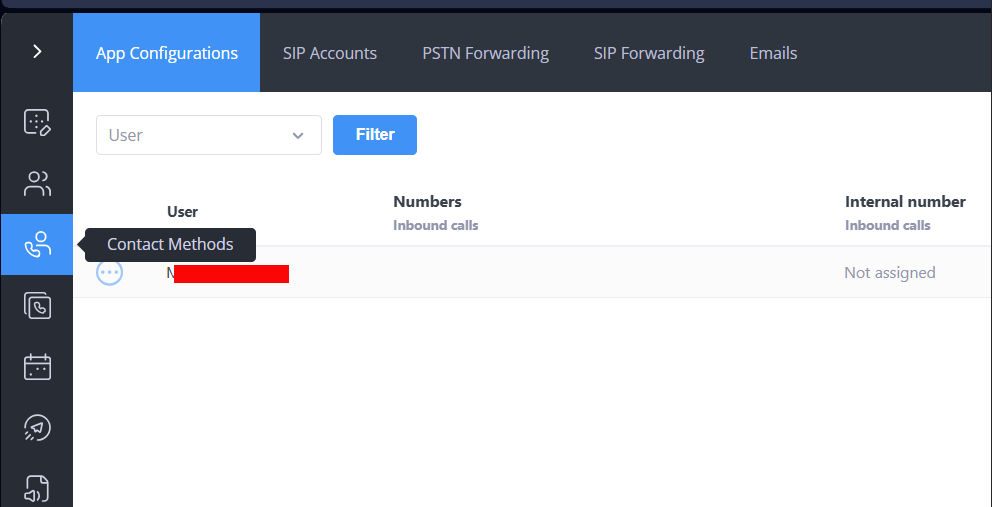
I do not see what is in the screenshot you posted. I see:

just one line with my user name and “not assigned”

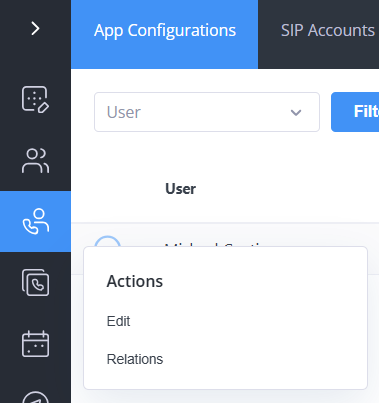
Clicking on the three dots reveals two options.

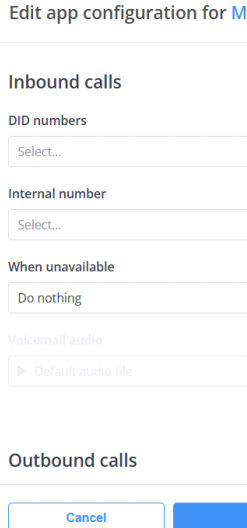
Neither appears to have SIP information

Sigh… It occurs to me that it might be helpful to email this informatiopn to me and CLEARLY IDENTIFY IT as something to put somewhere safe.

It might also be a good idea to DISPLAY IT CLEARLY on the home page when I log into my account.

I presume this is whats buried in the QR code? (that doesnt work for some reason)

This really should not be this hard…

Hi @Linguini,

Hope all is well.

You need to click “SIP Accounts” - your screenshot shows you’re on “App Configurations” - click the item right next to it.

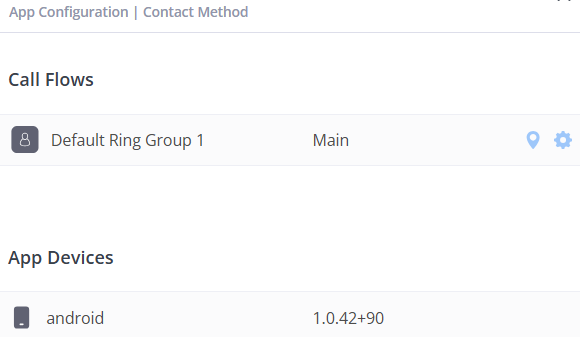
Correct, because you are not viewing SIP information; you are looking at App configuration settings, which pertain to the phone system app.

This is Contact Methods, but as you see, no SIP accounts.

I follwed your instructions carefully… There is no SIP accounts under contact methods

BUT

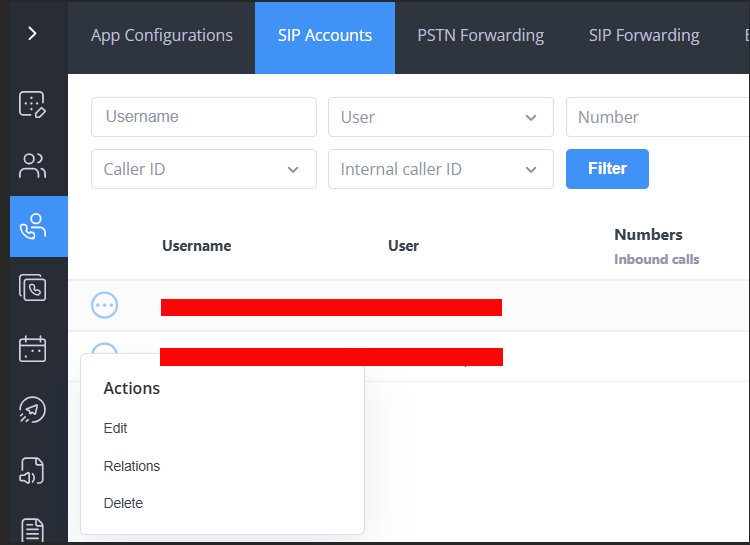
there is a SIP accounts at THE TOP OF THE PAGE.

Is that what you mean?

If I am at the right place, clicking on the 3 dots opens this menu.

This panel is complex, counter intuitive and detailed. you are not giving me enough information to navigate.

PLEASE CONSIDER THAT THIS IS NOT SIMPLE FOR PEOPLE THAT DONT WORK WITH THIS EVERY DAY

I entered this info into Linphone sucessfully

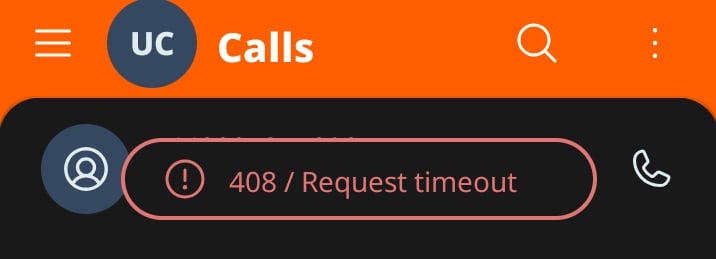
I tried to make a call to a UK 800 number - TEMPORARILY UNAVAILABLE

what does this mean?

1 Like

Hi @Linguini,

Appreciate the feedback here. We’re looking into solutions to make this more intuitive—specifically some sort of chatbot that you can interact with to set this up. (Example: “Set my UK number to a SIP account and give me the credentials.”)

Looks like you have this set up OK now. When you dial out, please remove the “+” and this should work.

So, for example, to call a UK toll-free number, try 448007312345.

Thanks and let us know if this works.

I tried that

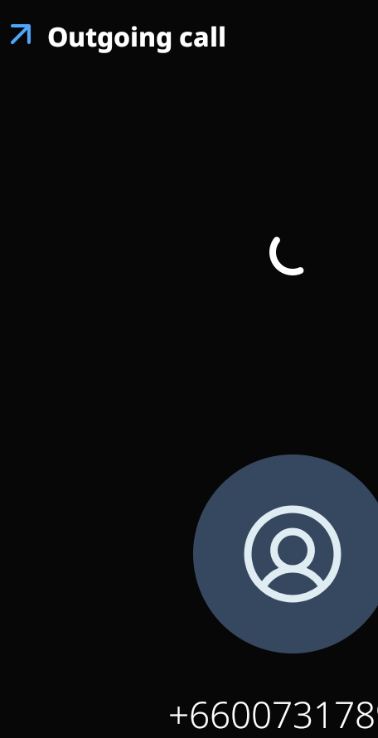
for some unexplainable reason, the number gets converted to

+66800731.….

Thats why I added the +

NOT WORKING

Could you please test one of these free apps with my account to make sure its wactually going to work. This is the 4th or 5th a[[ I have wasted hours trying to get working

Frustrated

Hi @Linguini,

I see. I’m thinking you may have some sort of rewiring rules set up on the phone/app.

In other words, something is telling the app to remove the 44 and replace it with a +66 or something similar.

It seems this is a known issue in the Linphone app, as I found this online:

https://www.reddit.com/r/VOIP/comments/1hr23a1/cant_dial_number_on_linphone/

And here:

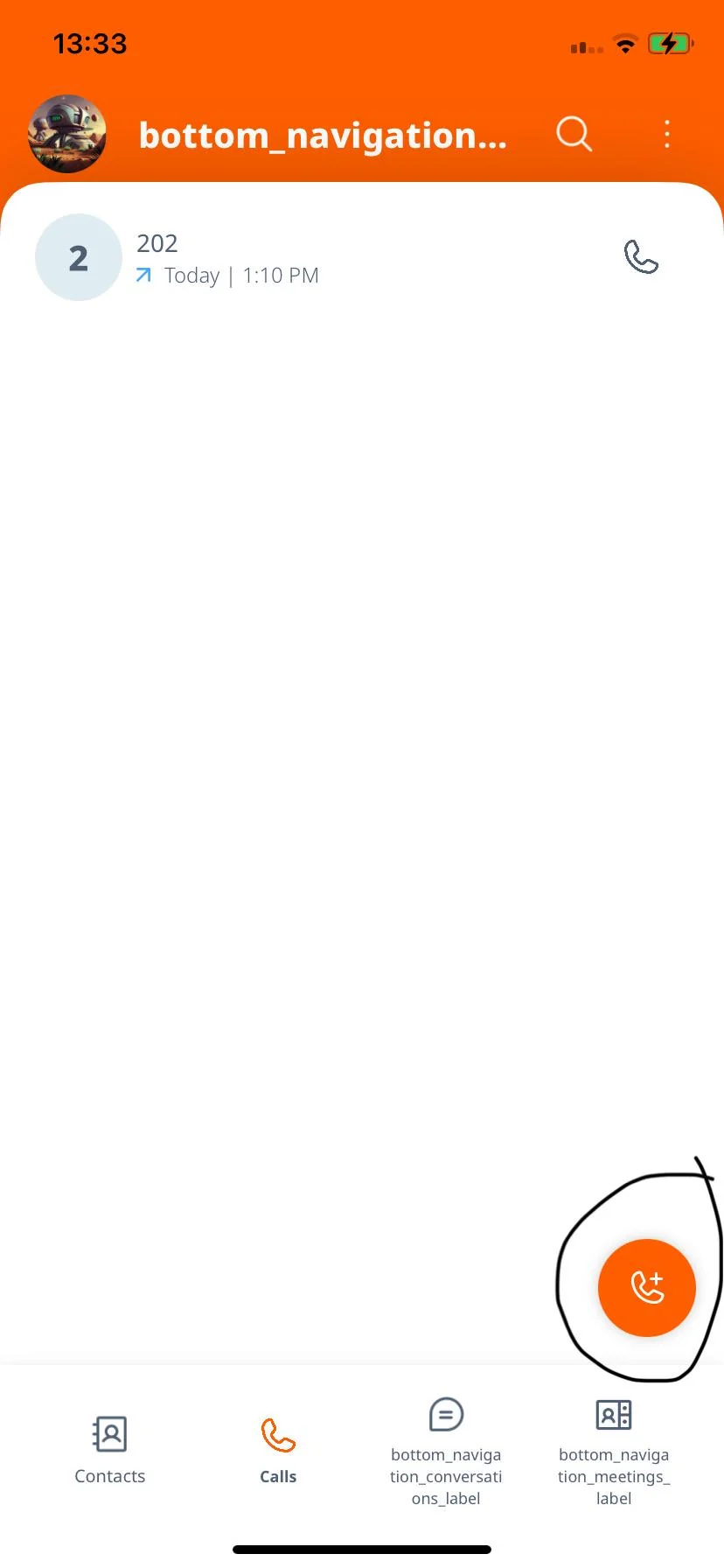
Instead of using the search bar to dial a number, try this icon, as someone on Reddit mentioned:

Just used your UK SIP credentials on iPhone and confirmed it’s working. For “Transport,” choose UDP as that was the only setting that needed adjusting (although we can enable TLS, but that’s another conversation).

I did need to choose the “Calls” tab on the bottom, then the icon on the bottom right (just like in the screenshot posted above) - then there was a dial pad I was able to open.

I sent you the 800 number I am trying to call

Please test THAT NUMBER because its not working for me

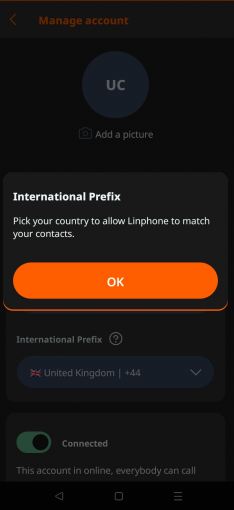
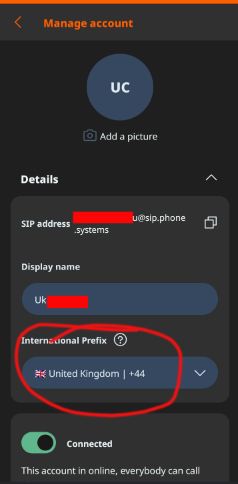
I have set linphone account to put +44 in front of all numbers and use UDP

There aapears to be no way to turn of the prepending of the country code with linphone

The number was tested and confirmed working (with your SIP credentials).

Could you look at the advanced “Settings” in the Linphone app please - Calls > Advanced settings?

For Media Encryption, try “None.”

For Audio codecs, select them all.

We know earlier your attempts with Linphone were working, so not sure what happened. Just in case there is a firewall or network issue with Linphone themselves, can you please try a different network (different Wi-Fi or try mobile data)?

If all this fails, please send us screenshots of the app settings.

I was unable to get linphone or any other FREE SIP app to work apart from Zoiper, which is restricted to one number. To call the UK I needed a second number so Zoiper was useless.

Linphone is now working. After a lot of trial and error, the problem appeared to be IPv6. Disabling this protocol in the linphone advanced settings presumably forced linphone to use IPv4, which worked.

The other possability is that my VPN is configured to block IPv6 connections

The next question is how to use two numbers with linphone without having to create a new account (enterung user/pass) each time i change fromone to the other

1 Like